
Are slow payments, order errors, or disconnected management tools creating avoidable problems in your restaurant? A restaurant point-of-sale system can affect nearly every part of the operation, from how quickly servers enter orders to how accurately you understand food costs. The most useful system is not necessarily the one with the longest feature list. It is the one that supports your service model without adding unnecessary cost or complexity.
Start With Your Restaurant’s Service Model
Before evaluating individual features, consider how orders move through your restaurant. A full-service dining room may need table mapping, seat-level ordering, coursing, and flexible check splitting. A counter-service restaurant may place greater value on a fast checkout screen, customer-facing displays, and integrated online orders.
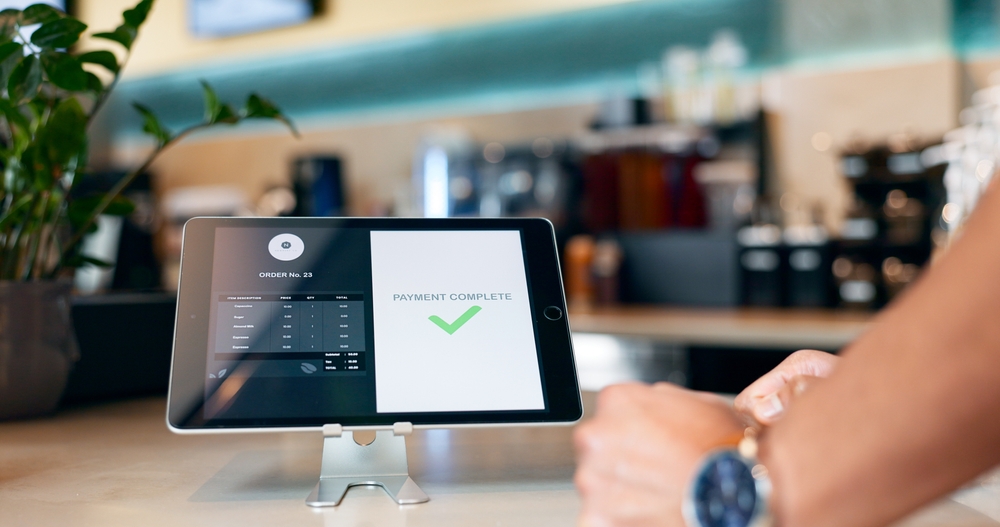
Service Priorities
- Full-service dining with table management
- Counter service with rapid checkout
- Bar service with tab management
- Mobile operations with portable hardware
Matching your restaurant POS system to your actual workflow reduces unnecessary steps and helps employees work more efficiently during busy service periods. A platform designed for another type of restaurant often creates small frustrations that add up throughout the day.
Order Entry Should Reduce Errors
Order-entry features should make it easy for employees to communicate exactly what the customer requested. Menu modifiers, substitutions, allergy notes, cooking temperatures, and course timing need to reach the kitchen clearly.
A useful interface should also adapt to your menu. Servers should not have to move through several screens to add a common modifier or locate a frequently ordered item. Customizable layouts can place popular dishes, drinks, and add-ons where employees can reach them quickly.
Table management matters in restaurants where guests remain seated for an extended period. Visual floor plans can show which tables are open, occupied, waiting for payment, or ready to be cleaned. This information helps hosts, servers, and managers coordinate service without repeatedly asking one another for updates.
Kitchen Communication Can Shape Service Speed
A restaurant POS system should connect the front of the house with the kitchen without relying on handwritten tickets or verbal corrections. Many systems can send orders directly to kitchen printers or kitchen display systems.
Digital kitchen displays may offer more control than paper tickets. Orders can be routed by station, prioritized by preparation time, and marked as completed. A grill cook might see only grilled items, while the bar receives drink orders and the dessert station receives later courses at the appropriate time.
Routing rules require careful setup. If an appetizer is accidentally sent to the entrée station or an online order bypasses the kitchen queue, the technology may create delays instead of preventing them. Ask how menu changes, special requests, and timed courses are handled before committing to a platform.
Payment Features Should Match Customer Expectations
Fast, flexible payment processing shortens checkout times while giving customers more ways to pay.
Payment Options
- EMV chip cards
- Contactless payments
- Mobile wallets
- Gift cards
- Split payments
- Tip adjustments
Beyond payment methods, review processing fees, monthly subscription costs, hardware expenses, and contract requirements together. A lower monthly software fee may not deliver the lowest overall operating cost if payment processing rates are significantly higher.
Online Ordering Needs Centralized Control
Online ordering can create significant operational strain when digital tickets are managed separately from in-person sales. Integrated ordering allows menu updates, pricing changes, and item availability to flow through one platform.
Direct ordering tools may also help you maintain control over customer information and avoid some third-party marketplace fees. However, the system needs to provide a smooth ordering experience on both desktop and mobile devices. Customers should be able to select modifiers, schedule pickup times, redeem promotions, and receive clear order confirmations.
Delivery integrations should be evaluated carefully. A provider may advertise connectivity with major platforms, but the depth of that integration can vary. Confirm whether orders enter the kitchen automatically, whether prices can differ by channel, and whether sold-out items update across every marketplace.
Inventory Tools Should Provide Actionable Detail
Inventory features range from simple item counts to detailed ingredient-level tracking. The appropriate level depends on how closely you need to monitor food costs, waste, and purchasing.
A basic system may show how many menu items were sold. A more advanced platform can deduct ingredients from inventory each time an order is placed. Selling one burger, for instance, could reduce recorded quantities of beef, buns, cheese, and packaging.
Ingredient-level tracking is valuable only when recipes, portions, deliveries, and waste are entered accurately. If employees do not maintain the data, the reported inventory may differ substantially from what is actually on the shelf. Consider whether your team has the time and processes needed to support advanced tracking before paying for it.
Reporting Should Lead to Better Operational Decisions
Sales totals alone rarely tell the complete story. Strong reporting tools help you understand which menu items generate healthy margins, when labor demand peaks, and where discounts or voids occur most frequently.
Useful Reports
- Sales by hour
- Menu item performance
- Labor comparisons
- Payment summaries
- Discount and void tracking
Easy-to-read dashboards and scheduled reports allow you to spot trends early and make informed operational adjustments instead of reacting after problems become expensive.
Integrations and Support Affect Long-Term Value
Your POS system may need to communicate with accounting software, payroll services, scheduling tools, loyalty programs, reservation platforms, and delivery applications. Native integrations generally require less manual work than exporting and importing spreadsheets.
Confirm whether integrations are included in the subscription or require additional fees. Some providers charge separately for online ordering, loyalty programs, advanced reporting, additional terminals, or multi-location management. A low entry price can increase significantly once the functions you actually need are activated.
Support availability is equally important. Restaurant problems often occur outside standard office hours, so determine whether assistance is available during evenings, weekends, and holidays. Ask how the system operates during an internet outage and whether payments and orders can continue offline.
Build Around Daily Operations
A restaurant POS system should remove friction from service rather than simply digitizing existing processes. Focus on how the system will perform during your busiest shift, when employees need to enter orders quickly, the kitchen needs accurate tickets, and managers need problems resolved without delay.
The strongest long-term value usually comes from a platform that handles your core workflow reliably, connects essential sales channels, and provides information you can act on. Careful evaluation of fees, integrations, usability, and support can help prevent an impressive demonstration from turning into an expensive operational constraint.